Phase 1: PROJECT PROPOSAL
Due: Friday, February 10th
DELIVERABLE:
PowerPoint Presentation that includes:
> A TITLE SLIDE WITH YOUR NAME, DATE AND WHAT YOU ARE PRESENTING
> A PROBLEM STATEMENT:
> THE NAME FOR YOUR APP
> YOUR PROPOSED SOLUTION
> HOW IS THE APP FUNDED OR MONETIZED
> AT LEAST 3 PERSONAS
> A LOW-FIDELITY WIREFRAME
WIREFRAMES:
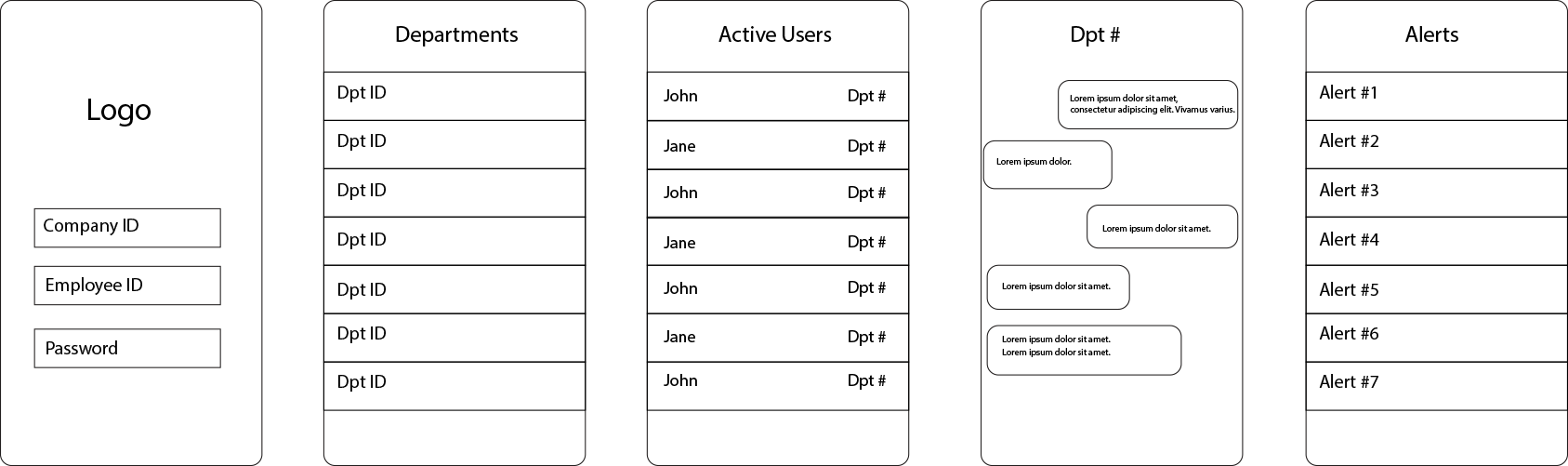
> LOW-FIDELITY WIREFRAMES
They are basically blueprints for your app.
This type of wireframe shows the basic structure of your application.
They are usually devoid of any color.
They can indicate basic navigation from page to page.
They can have simple menu and navigation buttons.
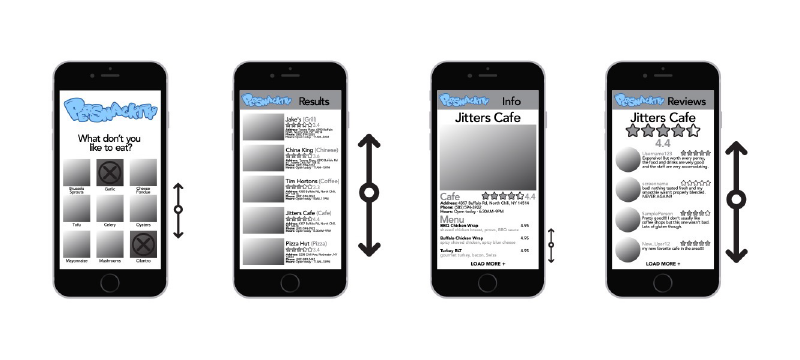
MEDIUM-FIDELITY WIREFRAMES
A mid-fidelity wireframe is more elaborate than a low-fidelity wireframe and closer to the intended final UI design.
Color is used minimally to indicate the structure and the hierarchy of the flow of the app.
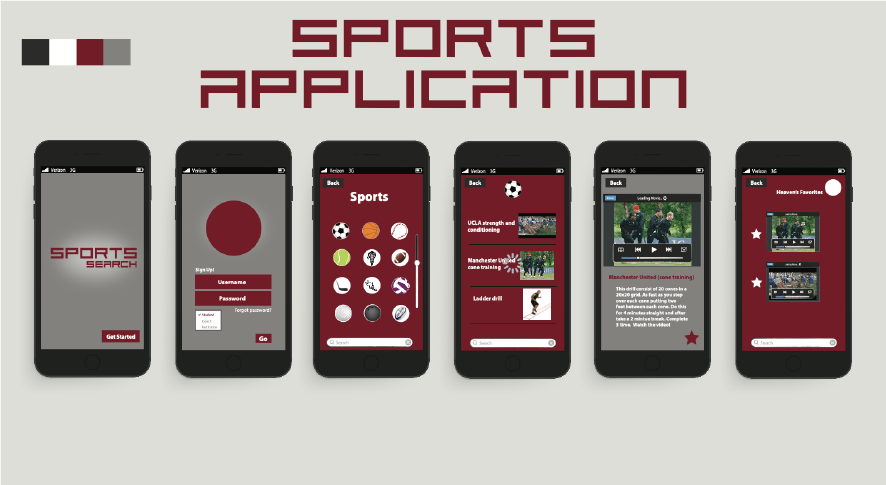
> HIGH-FIDELITY WIREFRAMES [FOR OUR CLASS THIS WILL BE YOUR WORKING PROTOTYPE]
A high-fidelity wireframe is closest to how the UI design will look in the finished project.
The UI components, images, icons, colors, fonts, buttons and backgrounds are in place
and ready to be turned into a working prototype.
PERSONAS:
Personas define your target market for your app.
You will want to create 3-5 personas to represent your audience.
Include a photo of your typical users.
Include demographics about your customers:
What is their occupation?
Where does this person work?
Provide some details about this person’s job? i.e. Are they a key-decision maker? Staff? etc.
What is their age?
Marital Status?
Lifestyle?
Where do they live? City, Rural, Country
What is their Educational Background?
What is their Salary?
What is their Gender?
What are their Goals, Values, Fears?
Anything else that might be pertinent to this person’s interest or need to use your app.
Types of Screens:
GENERAL
> Splash Screen
> On-Boarding Screen
> Home Screen
> Login Screen
> Profile Screen
> Stats Screen
> Calendar Screen
> Contact Us Screen
> Help Screen
> FAQ Screen
> Terms & Conditions
> Privacy Policy
e-COMMERCE
> Catalog Screen
> Product Screen
> Check Out Screen
> Coupon Screen
MUSIC
> Play List Screen
> Player Screen
SOCIAL
> Feed Screen
> Conversation Screen
> Friends Screen
Resources:
CLICK HERE: Information about Screen Sizes and Pixel Resolution, etc.
CLICK HERE: Types of UI Screens
CLICK HERE: Glossary of User Interface Elements
Part 2: The Prototype
ASSIGNMENT
Based upon your project proposal and feedback, design an interface for a mobile phone app using Adobe XD. Create a working prototype in XD
with appropriate multimedia (text, graphics, sound, etc) elements from your project proposal.
USE the iPhone 13, 12 Pro Max (428 x 926) template in XD.
This is the largest foot print to work with.
UI DESIGN
Your project must have the following screens:
1. SPLASH SCREEN
2. HOME SCREEN / MENU SCREEN
3. LOGIN SCREEN
4. PROFILE SCREEN
5. AT LEAST 3–5 SCREENS THAT PERTAIN TO YOUR
PARTICULAR APP (see list below).
OPTIONAL SCREENS:
– LOGIN SCREEN
– STATS SCREEN
– HELP SCREEN
– CALENDAR SCREEN
– CONTACT US
E-COMMERCE SCREENS
– CATALOG SCREEN
– PRODUCT CARD SCREEN
– CHECK OUT SCREEN
SOCIAL SCREENS
– FEED
– CONTACTS
– FRIENDS LIST
– CONVERSATION
MUSIC SCREENS
– PLAYLIST
– PLAYER