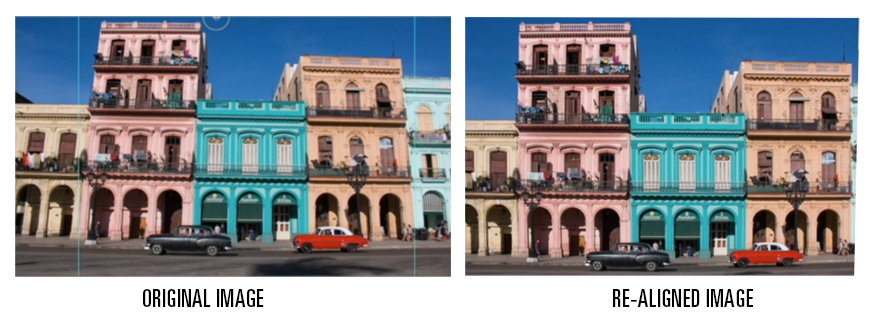
The tutorial above walks through how to align architectural images to compensate for the skewing and distortion of building walls as a result from the camera lens and orientation of the shot. Doing this on your images will make them look more professional.
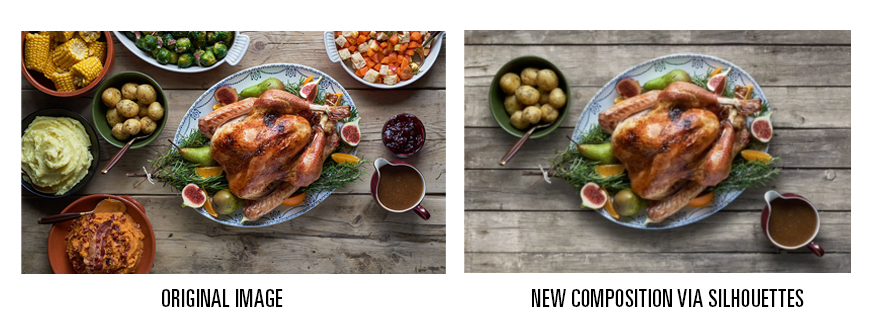
The exercise above is a real-life project that was asked of me from a client. The client loved the photo, but only wanted selected items in the shot. (This wasn’t the actual photo, but is a similar one to the one I had to re-comp.)
This tutorial is a good introduction and practice to learn how to make silhouettes from photographs and re-compose them in a separate image file. The pen tool enables you to trace with bezier curves and in very detailed areas you can use the lasso tool.
I prefer to cut out the silhouettes and save to a different file from the original in lieu of doing them as a mask. In my experience, it just makes your work easier if you have the entire image isolated with the background knocked out. Less room for errors and it maintains the original image in its native form.