
The Type of the Week Assignment
Students are assigned one topic for each Type of the Week projects.
ALL presentations must be uploaded by 10AM MONDAY(no exceptions)
—even if you aren’t presenting until Wednesday!
The class has been assigned into 2 groups for Monday, and Wednesday presentations.
Your powerpoints/pdfs are due MONDAY, BEFORE CLASS.
The review for the designed print bulletins based upon your research are due on the Friday assigned.
The final corrected design is due the following Monday.
The bulletins will be then printed.
Objective
- To learn about specific font and type designers, their place in history and applications of the typeface.
- To practice creating presentations and communicating information in visually appealing ways.
- To practice delivering presentations to peers and others.
- To use Powerpoint software in a custom and creative way by presenting the information in a visually engaging way and to learn how to make the auto text styling more professional.
- To combine text and images in a high quality way by cropping, sizing and layout in a pleasing, legible composition that conveys the message clearly.
You can use animations, transitions and multimedia components.
Use these features with care and purpose so as not to be a distraction from the presentation.
Deliverables:
1. Powerpoint Presentation
– From 4-6 slides / 5-minute presentation
– No widows or orphans
– No Typos
– No long lengths of text
– Use soft returns (SHIFT+RETURN) to style type
-Use consistent type sizes Good type hierarchy
– Good quality images & knockouts
2. Type of the Week Bulletin:
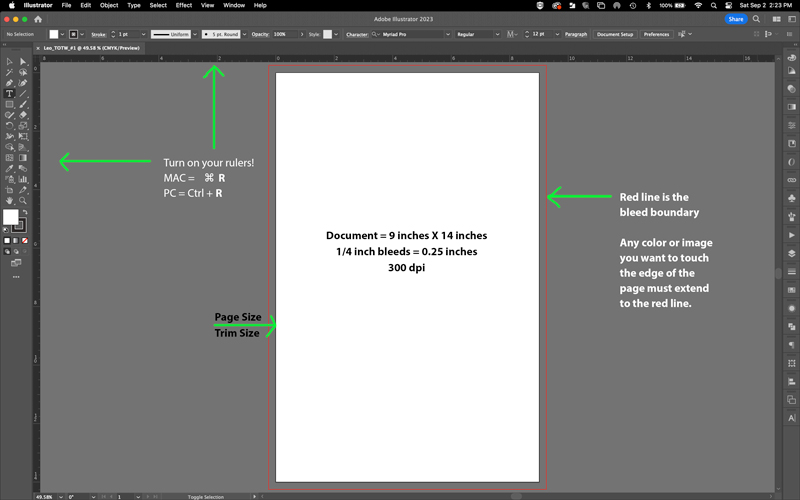
– Document Size (Trim Size): 9″ wide x 14″ high
– Document Bleed: .25”
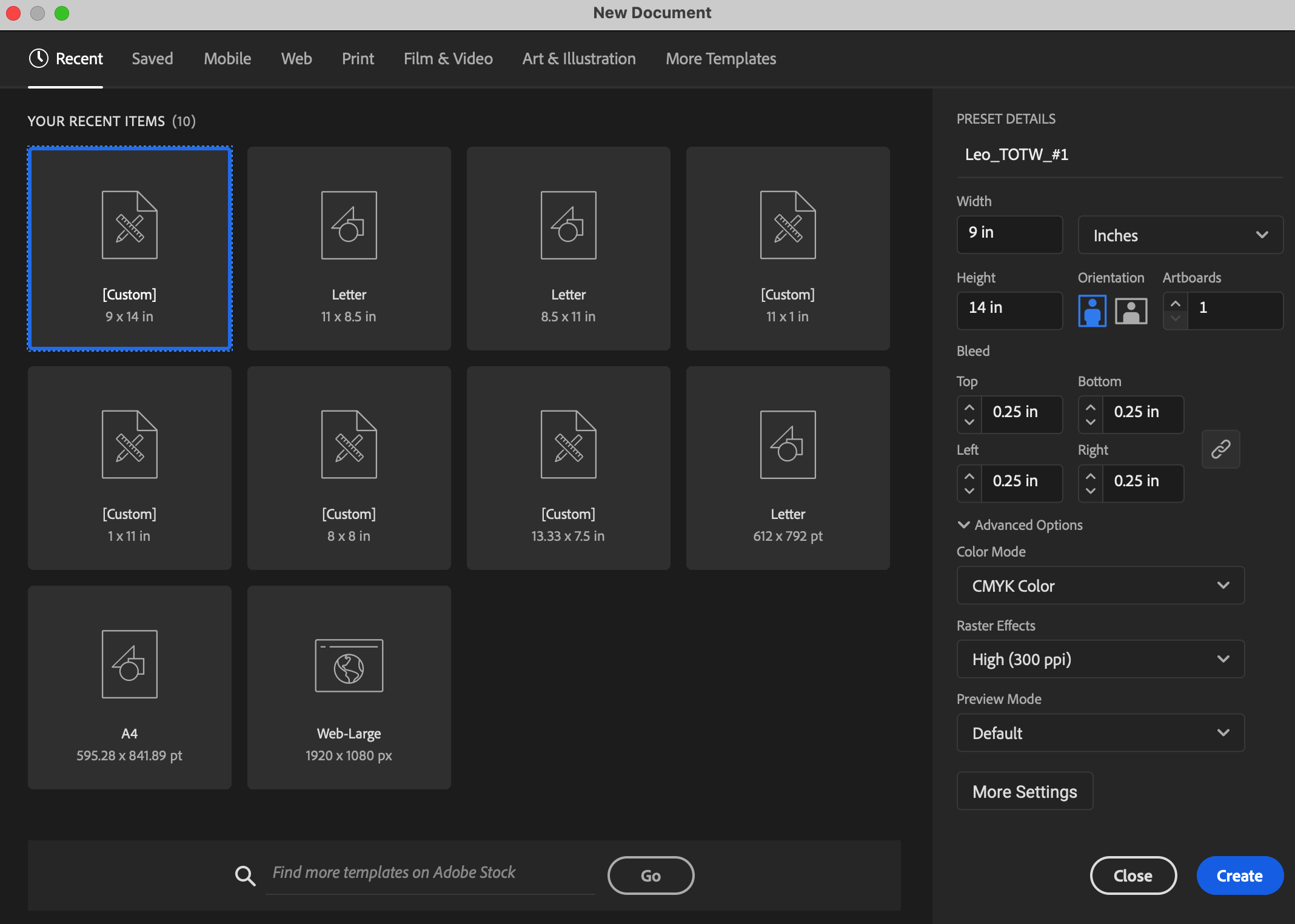
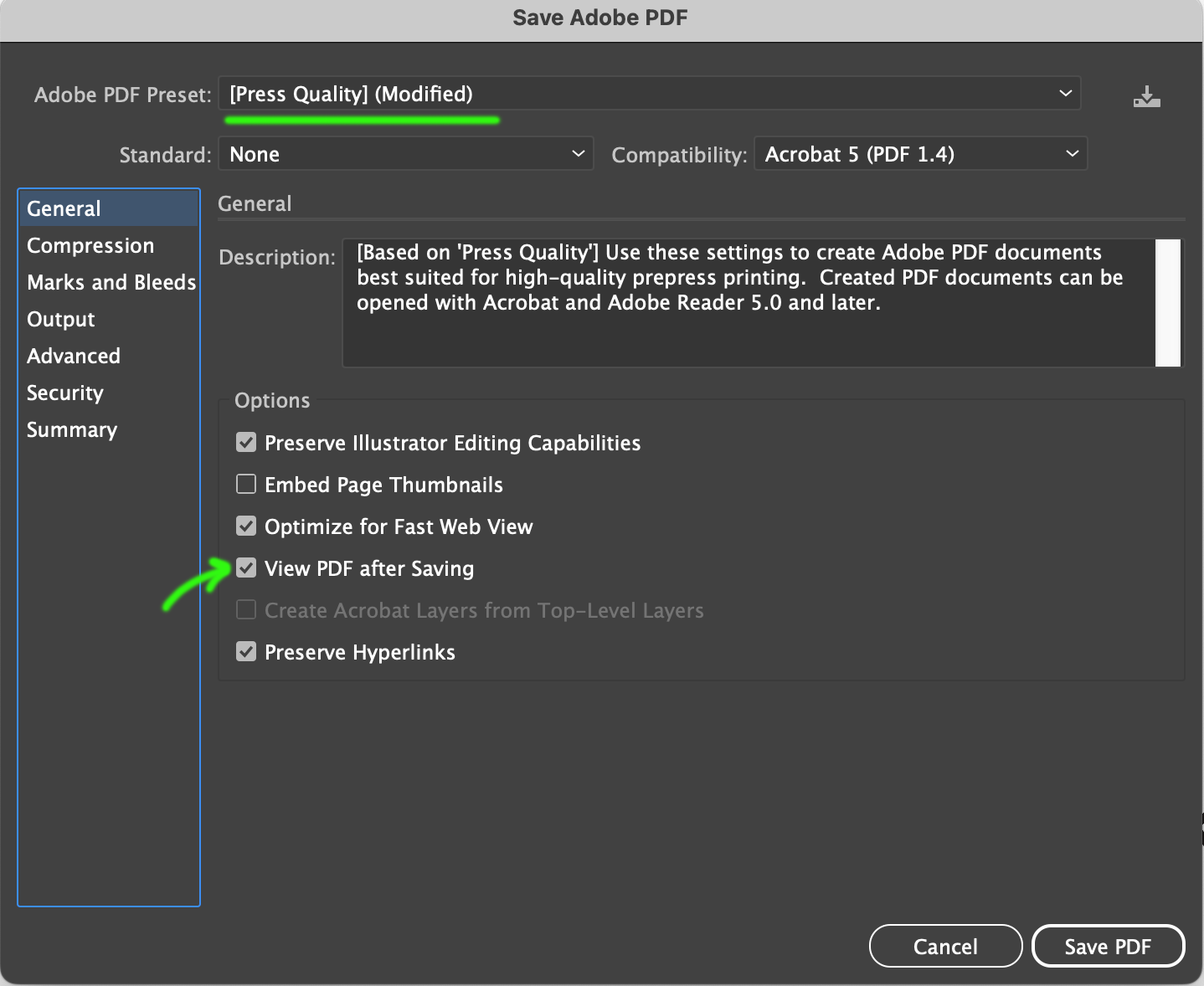
OUTPUT for proofing and printing:
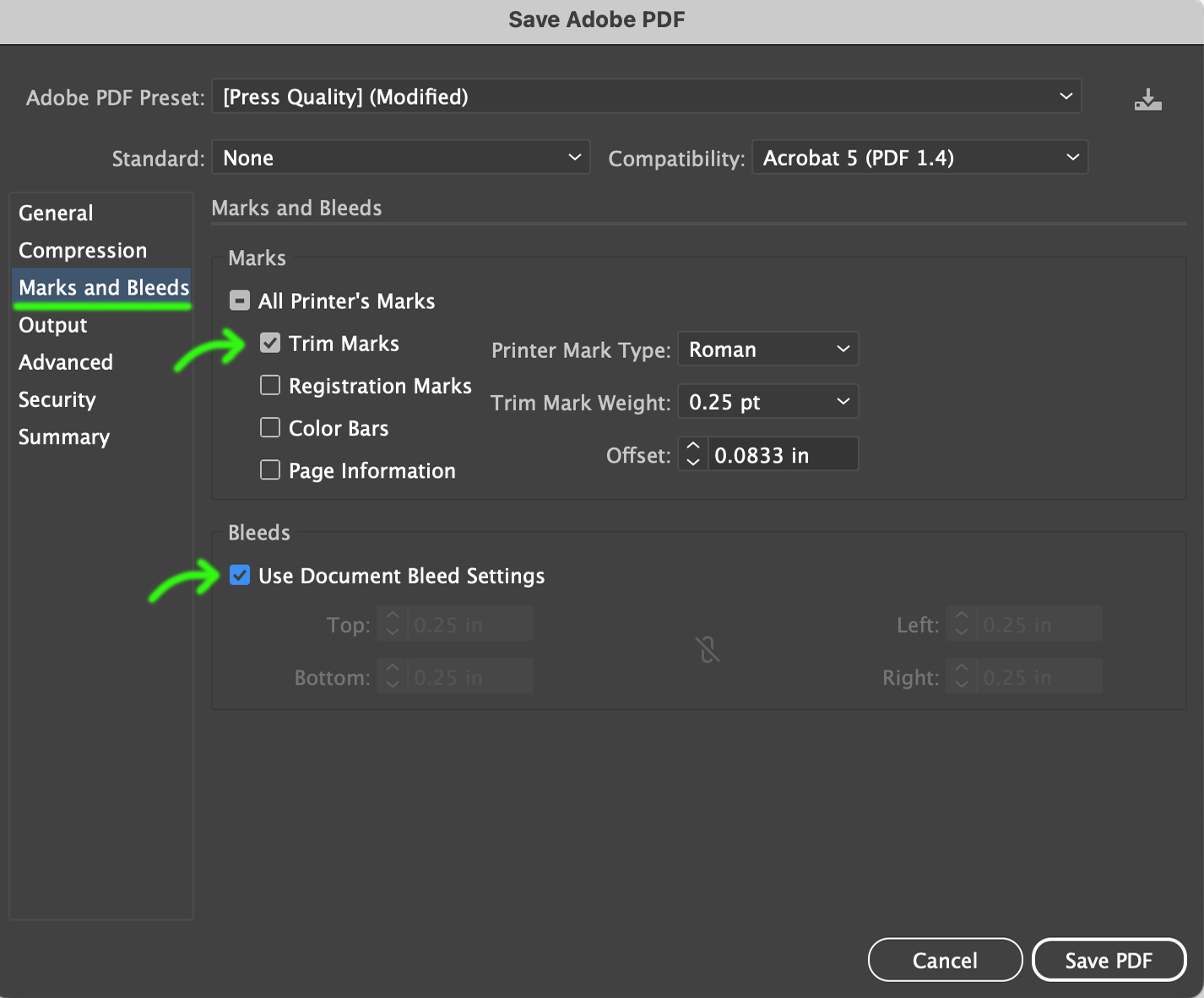
PDF – PRESS Quality Print: Bleeds and Marks: Check: Trim Marks (Illustrator), Check: Use Document Bleed Settings
CAUTION: If you are saving a PDF from Illustrator,
you MUST SAVE A COPY AS (Not SAVE COPY) otherwise your open illustrator (.ai) file
will change into a PDF file and you will lose your native .ai file.
TO MAKE A PDF FROM ILLUSTRATOR: ALWAYS DO A “SAVE A COPY AS”
Remember to start the file name with your LASTNAME_ and remove the word “copy” before the file extension (.ai)
This slide deck details trim line and bleed lines on the artboard in illustrator.
It also shows an example of using a full-bleed photo on a page.
To click through the slides there is an arrow to the right of the larger slide image.
Student Bulletins [2023 Spring]
Student Work: PowerPoints [2021 Spring]
Samples of Type of the Week PowerPoints
Student Bulletins [2022 Fall]